


Obstacle Avoidance Module for WindForce X
Obstacle Avoidance Module for WindForce X
Couldn't load pickup availability
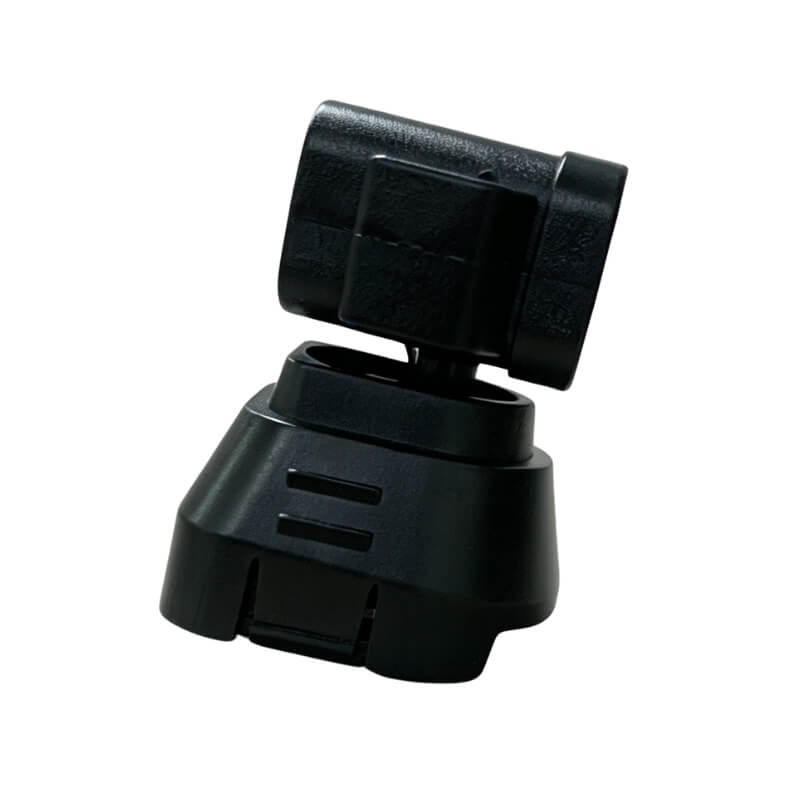
Windforce X Obstacle Avoidance Module
Add an extra layer of awareness to your Windforce X with this lightweight obstacle avoidance module. It monitors the front, rear, left and right sides of the aircraft to help detect nearby obstacles during flight.
With a detection distance of up to 20 meters under suitable conditions, the module gives the drone more time to respond when approaching walls, trees, structures or other objects in its flight path.
Weighing only 12.23g, the compact module adds minimal extra weight while keeping the aircraft setup clean and easy to install.
Key Features
-
Front, Rear, Left & Right Detection
Monitors obstacles from four directions to provide added situational awareness during flight. -
Up to 20m Detection Distance
Detects obstacles at distances of up to approximately 20 meters under suitable environmental conditions. -
Lightweight 12.23g Design
Adds obstacle sensing capability with minimal additional weight. -
Made for Windforce X
Built as a compatible obstacle avoidance accessory for the TODAMU Windforce X drone.
Important Note
Obstacle detection performance can vary with lighting, obstacle size, surface material, flight speed and environmental conditions. The system is intended to assist the pilot and should not replace visual awareness or careful flight control.
1. Tax
-No Customs Fees for USA and European Orders
Most parcels are shipped from local warehouses, so no customs fees are usually required.
- Customs Fees for South American and Southeast Asian Orders
Orders to South American and Southeast Asian countries are shipped from China and may incur import taxes as per local customs regulations.
2. Returns & Refunds
Eligible items can be returned within 30 days after delivery. Please keep the product and packaging in good condition.
3. Warranty & Support
For product questions, order information, or warranty support, please contact us through the Contact page.
Battery and charging help: If the battery does not charge normally, follow the drone battery charging checklist or contact TODAMU support before attempting another flight.
Calibration help: If the aircraft requests IMU, compass, or gimbal calibration, follow the drone calibration guide or contact TODAMU support before flying.
Is the camera horizon tilted?
Remove the gimbal cover, restart the drone on a firm level surface, and let the startup self-check finish. If the horizon remains tilted, use the gimbal alignment and calibration checklist.
GPS signal weak or home point not ready?
Move the drone to open sky, keep it still while it searches for satellites, and wait for the normal GPS-ready and home-point status. If the warning remains, use the TODAMU weak GPS signal checklist.


Collections
-

Drones with 3 Axis Gimbal
Drones with 3 axis gimbal are designed to deliver smoother and more...
-

Obstacle Avoidance Drones
Obstacle avoidance drones are built to improve flight safety by detecting and...


